Theresa Lobo (2026). Teaching E-learning for Visually Impaired Students. In: Human Systems Engineering and Design (IHSED2026): Future Trends and Applications. AHFE Open Access, vol. 237, pp. 420–430. https://doi.org/10.54941/ahfe1008181
This project describes the development of an available e-learning design project for teaching innovative IT network program to visually impaired students. The program contains a virtual classroom, accessible learning materials, a remote computer laboratory, and delivery of the learning materials by teachers with vision disables. Additional teaching aids, as Windows Mixed Reality and Microsoft HoloLens transform abstract concepts into 3D experiences in the classroom, enabling students to investigate more deeply, see more clearly, and learn by doing. This paper explains the development of an available e-learning environment to bring advanced IT network program. Estimate results shows that visually impaired students situated both locally and distantly got equivalent grades, as the sighted students, because of additional time to comprehend and experiment via the virtual classroom and remote computer laboratory. Universities have been not receptive to ensure availability of learning supplies and courses for the visually impaired are mostly discriminated by the vision-driven online education method. In the context of the term ‘visually impaired’ refers to a vision disability resulting in little vision. This project was developed and designed for visually impaired students. In recent years, there has been a significant and rapid change in the delivery of educational content. The use of the Internet and web based instructional aids, once thought experimental, are now viewed as an integral part of the learning method. This has resulted in students receiving unprecedented access to information and the creation of new learning opportunities in design. Visually impaired students, who are particularly affected by this technological change, have faced a range of difficulties from the act of typing a letter and design to the use of computers in educational institutions.
Increasing survival rates in cases of severe illnesses and traumatic injuries have led to an increase in the number of disabled people of working age or younger. According to the (World Health Organization -WHO), there are about 30 million blind and partially sighted persons in geographical Europe. An average of 1 in 30 Europeans experience sight loss. The World Health Organization estimates, in figures dating from 2010, that in Europe there are: 2,550,000 blind people and 23,800,000 low vision people, giving a total of 26,350,000 visually impaired individuals. EBU (The European Blind Union). Tends towards an estimate of 30,000,000 visually impaired individuals. This higher figure considers the prevalence of sight-loss amongst Received May 14, 2026 Revised June 23, 2026 Accepted July 17, 2026 Available online September 25, 2026
Teaching E-Learning for Visually Impaired Students 421 an increasing population of elderly people in Europe which is extremely difficult to accurately quantify, and the fact that there exist several people who suffer from varying degrees of sight loss but who either ignore this or decide for personal reasons not to declare their condition. Universities have been not receptive to ensure availability of learning supplies and courses for the visually impaired are mostly discriminated by the vision-driven online education method (Harper, Goble, & Stevens, 2001). In the context of the term “visually impaired” refers to a vision disability resulting in little vision. The use of the Internet and web based instructional aides are now viewed as an integral part of the e-learning environment. Students receive exceptional access to information and these presentation modes provide them with new learning opportunities. The qualities of e-learning are extensive, however the rush to implement e-learning systems have resulted in students with disabilities being left behind due to the lack of an accessible content delivery system. While e-learning and web-based applications have opened opportunities for many students with disabilities, it remains primarily vision dependent, with increasing levels of inaccessibility for low vision students. Education in computing at tertiary level requires comprehension of theory in addition to practical application and hands-on exercises to develop a sound knowledge base. Computing theory is a combination of logical and physical abstractions, invariably taught to students using conceptual diagrams or figures containing shapes of different sizes together with other visual effects such as shading, color and sequence (Arditi, Aries, 1999). The more complex the model, the more complex the visual effects used, requiring spatial abilities to interpret motion and 3D images. The combination of computing curricula delivered via digital and Internet-based mediums has resulted in e-learning materials in the field being dominated by visual-driven formats and sequences. Artificial Intelligence (AI) is transforming e-learning for visually impaired (VI) and blind students by converting visual educational content into accessible audio or tactile formats. Most of these e-learning materials are designed to be easy to follow and help learners understand the pedagogical concepts being delivered. Vision-impaired students have a limited selection of tools available to assist access to computerized settings. The most common tools are screen readers or text magnification applications, and some students utilize Braille display units. Output devices such as PIAF printers (PIAF Tactile Image Maker) are used to produce hard copies with raised print for tactile interpretation. These tools do not provide an equivalent speed and ease of use to their graphical counterparts. Screen reading applications translate text to voice, but are unable to access non-textual materials. This project was developed and designed for visually impaired students. In recent years, there has been a significant and rapid change in the delivery of educational content. The use of the Internet and web based instructional aids, once thought experimental, are now viewed as an integral part of the learning method. This has resulted in students receiving unprecedented access to information and the creation of new learning opportunities in design. This aims to examine both the learning courses faced by people who are visually impaired and the unique accessibility requirements of such people. This is achieved through the comparison of sighed students and visually impaired students, who have vision disabilities,
422 Lobo jointly pursuing an existing, best practice eLearning curriculum. This project, started at School of Design of IADE, and FCT in conjunction with Cisco Systems, aims to identify appropriate learning tools and techniques that can be used to support vision impaired students studying, designing in computers in University. This paper describes a project, which improves a fully accessible e-learning program for teaching advanced IT design courses to the visually impaired. In this last year of 2017, we started using Windows Mixed Reality and Microsoft HoloLens transform abstract concepts into 3D experiences in the classroom, enabling students to investigate more deeply, see more clearly, and learn by doing (Huang, Jonathan, 2017). The program consists of accessible e-learning materials, a virtual classroom, and a remote virtual network for the design and testing of computer network. Two teachers trained for the visually impaired students and sight students presented the learning materials assisted by a teacher that instructs sighted students. An international training program using dependable online learning supply was used for testing the technology- driven learning and teaching. The Cisco Network Academy Program (CNAP) computer networking online training program was used as the establishment, converting the associated online materials into formats for design available to people with critical low vision. The CNAP online courses were chosen as they are certification courses, giving the vision impaired students with relevant qualifications. IT certifications provide students with confidence of their abilities (Hope et al., 2006). The CNAP courses also form the basis of several undergraduate courses in a Bachelor of IT program, thus providing articulation into an undergraduate design degree for those wishing to continue their studies. The end of the program provides the vision impaired skills, knowledge and certification in IT networks, in a design area relevant to their disability, and offers a design course to further education and employment. The process, methods and tools are explained. Results of an estimation of the success of the project using the vision-impaired students are also discussed.
METHODOLOGY
The purpose of the plan was to give to visually impaired students the accessible of IT networking education for design correspondent to that existing to sighted students. Thus, the visually impaired would have the opportunity to assume a design course and be better trained for employment in IT positions. IT network experience is very relevant to the visually vision impaired for several reasons. Primarily, most interaction with networks and computer workstations at the operations level is via command line. Command line uses text input and output, and text is easily converted into audio output by screen reading software. Secondly, while the physical network may involve wiring, IT networks are logically configured and network management and support is carried out logically via a workstation. To achieve the objective of the project it was necessary to create a teaching program, that was fully available to the visually impaired students and to distribute an IT networking program adapted to design to these students. Sighted students sign up in the same program, for the same valuation, were used as a control group for
Teaching E-Learning for Visually Impaired Students 423 purposes of comparison. If the visually impaired students (using improved available learning materials and technique methods) conclude results within 5% of the sighted students (using original learning materials designed for the sighted) then the project would be estimated successful. An experimental project was implement to investigate the most effective ways of making an IT networking course adapted for design fully available to the visually impaired students. Cisco IT network teaching courses were chosen as the medium for the improvement. Cisco networking experience is in high required and is recognized as an international program. The experimental project included participants who were with a small amount of usable vision. The program would test the effectiveness of numerous accessible.
The Teaching Program An Experimental Teaching Plan was managed over a year period at School of Design of IADE, and the project went live in the second year at IADE- Creative University. The project included 5 visually impaired students in USA and 5 visually impaired students (all with <5% visual acuity and/or <10o field of view) gradually examination the different varieties of progress of the Cisco e-learning materials. The local APA Association for the Blind recommended the 5 applicants in United States for the first year and CEBV - Low Specialize Vision Center recommended the 5 applicants in Portugal for second. Methods drawn in the adaptation of the e-learning materials were based upon techniques described in the Cisco Program with guidelines specifically for this disability group, plus a substantial amount of empirical work as the project progressed.
E-Learning Program for Students With Vision Impairment As the aim of the project was to create an e-learning program specially to accommodate the demands of visually impaired students: 1. A virtual classroom available by both remote and local students, and a physical classroom on campus for local students; 2. A remote laboratory for computer network design and examination; 3. Fully available program containing of a comprehensive set of online learning supplies for design courses; 4. Distribution by visually impaired teachers and sighted teachers, and particularly designed training supports.
Physical and Virtual Classrooms The basic classroom includes a virtual classroom used by distant and local students and a physical classroom for local students and teachers. The virtual classroom contains a broadcasting and call management application qualifying teachers to broadcast lectures and classes to local and distant students. The VoIP call management systems were Cisco Call Manager, and Ventrilo; both provides an acceptable level of service. It was essential, after all, to have a sighted teaching assistant manage the broadcasts as the status of listeners requesting interaction was driven by radio buttons on a visual display not accessible by screen reading software. Students were registered
424 Lobo in to the virtual classroom to listen to the lectures and contribute in the class practices. The virtual classroom offered the services for students to talk to one another as well as interact with the teachers, like a normal classroom. The lectures were recorded and made available as audio files on the project website along with other teaching tools for easy approach by the students at any time. Distant communications occurred via VoIP with most students using freeware applications such as Skype for one- on-one communication. The physical classroom included workplaces prepared with operative technologies (in the form of screen readers and screen enlargers, special colors for the screens of the computers for the visually impaired), router bundles, and network equipment for the remote laboratory, a network simulation tool, and a design course management server. Additional haptic and touch helpful technologies were validate; still, none could offer the necessary of the scale of production wanted. All students are also able to approach the e-learning setting via the Internet and have access to the same supplies and equipment as those students in the physical classroom.
Available Program Over a period, the project was under permanent progress, with prolongation and improvement of the material and mechanisms source and alterations to each new version of the learning supplies released by Cisco. After a year, the program included two fully available Cisco courses: IT Essentials 1 and CCNA 1. These courses form the foundation for two undergraduate design courses in a bachelor program, introducing the visually impaired applicants to study at the university level. The two-course Cisco program was designed to be present over a year period and provided the students with skills to: 1. Install, configure, and operate computer networks; 2. Resolve networking issues; and 3. Build a computer and install different versions of operating systems. On conclusion of the program the candidates have the abilities required for IT support positions or enter on further university education. The available teaching supplies included: The accessible teaching materials comprised: 1. Lectures delivered by visually impaired teachers and students (live and audio); 2. Textual materials accessible by screen reading software; 3. Diagram and picture descriptions; 4. Tutorial practices presented by visually impaired teachers and students; 5. Interactive modules for revision; 6. Available valuations (quizzes, tests examinations and special images for the visually impaired). In today’s generation of visually impaired youth abilities are not considered essential as screen reading applications can convert text to audio.
Teaching Supports One of the problems recognized during the experimental project was that sight teachers were not fully conscious of the needs of visually impaired students with relation to the demonstration of ideas and sources. It was found that the visually impaired students who had progressed to a more superior level could explain these models in a way the visually impaired beginners could more easily adjust. Two teachers trained for the visually impaired
Teaching E-Learning for Visually Impaired Students 425 students were then more qualified to deliver the Cisco course supplies. These teachers had first-hand experience of the difficulties encountered by the visually impaired students and were active in the design of effective ways of presenting the learning supplies. The audio lecture files were kept on the course management server for subsequent student approach. The sighted and visually impaired students utilized the same equipment and laboratories; still classes were programmed at different times as the noise created by the sighted students made it difficult for the visually impaired students to hear the audio production from their screen reader applications. The number of students completing each program was the same: 5 visually impaired and 5 sighted. Sighted teachers presented the classes to the sighted students and visually impaired teachers to the visually impaired students. Sometime later in the plan a network simulation software tool, iNetSim, was developed for the students to complete network design practices. iNetSim was utilized specifically in teaching router configuration, network management, routing protocol configuration, and setting entree lists to control access to routers. It allowed configuration of virtual network devices including routers, switches, hubs, and PCs, and each device could have several ports of different types including Ethernet, serial, and console. A command line interface to devices provided control and feedback over the simulation. The interface acted in a similar way to the operating system for that device type, for example, a generic DOS-like system for PCs and Cisco IOS for routers. iNetSim was designed to be operated solely with the keyboard, alleviating the eye and hand issues faced by visually impaired students. As a GUI was also available, sighted students could use the more traditional drag-drop, mouse-based interface. While screen readers can translate Microsoft Windows operating systems into speech, the assistive technologies used by the visually impaired teachers and students were not able to access the Linux operating system. Linux aids form an essential part of the courses, so a speech synthesizer for Linux (comprising both hardware and software) was developed specifically for this purpose.
RESULTS
The main measures utilized for the final evaluation were the grades achieved by the visually impaired (Meddaugh, Tackling, 2011) and sighted students adopting the same courses plus feedback via student surveys. The student grades showed the visually impaired students could access the supplies and acquire the same aids and knowledge as the sighted students. As the Cisco courses use electronic valuation queries, tests, designs, and exams, these instruments were converted into available formats to ensure the visually impaired students the same valuation items as the sighted students. The visually impaired students achieved similar grades to sighted students in queries and tests, but took longer to cover the materials in preparation for these valuation actions. The visually impaired students were not as confident of their knowledge or abilities and spent significant time repeating exercises and re-reading notes. The additional work assumed by the visually impaired students in preparation for the final examination in each course was observed
426 Lobo to be 4-5 times that of the sighted students. The Cisco examinations have a pass mark of 75% and students must re-sit examinations until they achieve a minimum of 75% correct answers. Sighted students were expected to gain higher grades than the vision impaired students in the final examination; still, there was no visible difference in the average scores of the two groups. There was also no difference in the number of examination attempts between the two groups. In the first valuation both groups of students reached an average of 92%. In the second valuation, the visually impaired students acquired an average of 87% compared to 84% for the sighted group in the same valuations (see Table 1).
Table 1: Summary of examination grades.
Table available in the original PDF paper.
Student 1st. Evaluation 2nd. Evaluation 3rd. Evaluation Average % Average % Average %
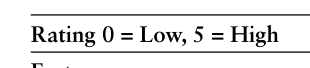
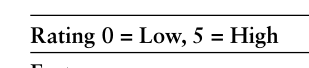
Difference 0.0 2.91 1.45 The results were closer in the third valuation, with the visually impaired students reaching an average of 88% compared with 87% for the sighted students. The drop in grades between the first and second valuation was due to Cisco’s release of a new version of the e-learning materials and valuations. The third line in the frame of Table 1 shows the difference between the grades for the sighted and vision impaired students, measured in percentage grade. All achieved grades were within the 5% limit set. At the phase over the three valuations the visually impaired students score grades lower than the sighted students, and in two valuations the average score was slightly higher. The higher scores can be explained by the dedication of the visually impaired students in response to a program specifically designed to improve their skills and employability. These students spent significantly more time reading and completing exercises out of class time than the sighted students. The Cisco e-learning course in its existing practice and has improved through more than a decade of renews and improvements. It is well tested, and investigated for sighted students. But, the plan has renovated to offer an available program alternative has not had the advantage of such detailed examination and improvement. To establish how efficacious the program has been in creating available e-learning tools feedback was required from the visually impaired students accepting the improved courses. On conclusion of the courses the visually impaired students present a completed questionnaire regarding some issues, including the availability of the original program, availability of the renovated program, the efficiency of the equipment offered in the laboratory, the efficiency of the assistive technologies used (screen reading and text enlargement applications) in acquiring materials, and the value of the distribution of supplies by the teachers. Tables 2 and 3 summarize the ratings given. There was also a visible difference in the perception of the low vision students as to availability of the original e-learning materials prior to re-development. Low vision students have a small amount of usable
Teaching E-Learning for Visually Impaired Students 427 vision. Although the range of ratings was the same for this group, the average rating for the low vision students was 1.33. Clearly both groups considered the original Cisco e-learning materials to be poor in accessibility; however, those with low vision appeared to be able to access a small amount of these materials, explaining the higher average rating.
Table 2: Ratings of accessibility of e-learning materials by visually impaired students.
Table available in the original PDF paper.
Factor Lowest Highest Average
0 2 1.33
Accessibility of original learning materials – low vision students
4 5 4.30
Accessibility of new learning materials – low vision students The average ratings for accessibility of the redeveloped e-learning materials across the three valuations for the groups: 4.30 for those with low vision. This was a positive result indicating the low vision students felt the new materials were greatly improved in accessibility.
Table 3: Ratings of technologies and delivery by visually impaired students.
Table available in the original PDF paper.
Equation reproduced from the original PDF.
Assistive Technologies used 3 5 4.33 Delivery by instructors 1 5 4.55
The majority rated the equipment highly, achieving an average rating of 4.33 out of 5. Comments included “equipment has been of the highest standard,” “computers have been upgraded,” “a good consistent quality,” “has always been of a high standard and always Cisco corporate net- working equipment, what more could you ask for.” The instructors rated highly at 4.55 and were supported by favorable comments, including “excellent,” “very helpful with vision impairment issues and questions,” and “thorough and comprehensive.”
Other factors surveyed related to the students’ perception of the value of the skills and knowledge they have gained and their employability at the completion of the courses. Specific questions related to their knowledge of IT and computer networks before and after the training, how much they use the skills and knowledge they have gained, their employability before and now and whether the training had, in their view, improved their effectiveness on the job. The results of the survey are shown in Table 4.
Table 4: Ratings of skills and employability by visually impaired students.
Table available in the original PDF paper.
Equation reproduced from the original PDF.
IT knowledge now 3 4.5 3.90 Usefulness of skills obtained 3 4.5 4.00 Employability before 1 2 1.11
Employability before 3 5 3.78 Improved effectiveness on the job 3 5 4.35
Most vision impaired participants had a small amount of IT knowledge at the commencement of the project, the majority rating this at level 1. One student had some prior knowledge and rated himself at level 3. The average IT knowledge before was 1.35 compared to an average of 3.9 at the completion of the training courses. All students noted an increase in the knowledge levels.
Similar ratings were given for the employability of the students, with an average of 1.11 before the training and 3.78 on completion. The students’ ability to apply the skills and knowledge was rated highly with an average of rating of 4.0 out of 5. The visually impaired students also considered their effectiveness on the job was now high, with an average rating of 4.35. The positive ratings overall were encouraging for the project team and reflected significant success on the part of the vision impaired students. Involvement in the program had increased their self-confidence in their own ability and their ability to perform in an IT role in industry. The visually impaired students in the three valuations required information and briefs to be organized in a linear method. Large amounts of information or complex data presented in tables were particularly difficult for the student to interpret without error. Their activities in undertaking practical exercises were also linear in nature. Repetition of concepts, materials, and practical application exercises was a key factor in the visually impaired students’ comprehension. Experiential learning is highly relevant to visually impaired learners. Additional time needed to be incorporated into the teaching schedule to cover the required repetition. The materials converted for visually impaired were largely ignored by the students who preferred to repeatedly listen to the audio lectures and use screen reading software to generate voice output from the online textual materials.
While the two groups of students completed the same learning, conclusions utilizing the same equipment and some of the same materials, the visually impaired students did not physically occupy the same classroom at the same time as the sighted students. In addition, sighted teachers taught the sighted students and the visually impaired students by totally blind teachers. Regarding hours of classes, the visually impaired students had a total of ten hours per week in the classroom, whereas the sighted students attended only six hours of classes per week to cover the same material. The project would benefit from broader research in the future on the most effective means of
Teaching E-Learning for Visually Impaired Students 429 delivering the e-learning materials to different types of learners regardless of their vision capabilities. As a direct result of this research just under half of the visually impaired participants have continued with formation studies in IT at university. Completion of the two courses gave these students confidence in their ability to successfully complete undergraduate level studies and achieve at similar levels to the sighted students.
CONCLUSION
From a project management perspective, the elements of the e-learning classes for the visually impaired integrated well to provide the level of accessibility required and give the visually impaired students confidence in their ability to learn and achieve the same learning outcomes as the sighted students (Hope, von Konsky, Murray, 2006). Due to the differing nature of their disability and background, each visually impaired student faced unique challenges and experienced varying achievements related to their disability (Hope, von Konsky, Murray, 2003). Ratings of the quality of the learning materials appear to have increased over the period of the research. Students sign on the design courses early in the project generally rated the converted materials lower than students undertaking them later in the project. This could be due to minor enhancements made to the materials on an ongoing basis. The use of trained teacher for visually impaired provided evidence that visually impaired students can be employed in significant and meaningful roles, giving much needed confidence to the visually impaired students. An evaluation assessment by the visually impaired students graded the e- learning program highly and revealed their improvement in useful IT knowledge on concluding the Cisco courses (Kelly et al., 2005). Their confidence in acquiring full-time, significant employment because of the training was positive.
ACKNOWLEDGMENT
The author would like to thank the Project Manager of the (Cisco Academy for the Vision Impaired), the School of Design of IADE-Creative University, Professor Marcus G. Ormerod of University of Salford, Manchester, UK, FCT- Portuguese National Funding Agency for Science, Research and technology, the colleagues of the project team and the visually impaired students, who dedicated so much of their time to this research. The European Union in part funded the delivery of the Cisco training program for the visually impaired in 2023/2024.
REFERENCES
Arditi, Aries, 1999, Effective color contrast: Designing for people with partial sight and color deficiencies. N. Y: Lighthouse International. EBU (The European Blind Union) https://www.euroblind.org/about-blindness-and-
partial-sight September 2024. Harper, S., Goble, C., & Stevens, R. Web mobility guidelines for visually impaired surfers. Journal of Research and Pract. in Infor. Tech, 33(1), 30−41, 2001.
acquired colour vision deficiencies, Afr Vision Eye Health. 2016;75(1), a365. Hope J, von Konsky B, Murray I, A Cisco Education Tool Accessible to the Vision Impaired, ASSETS06, Portland, Oregon USA, October 23−25, 2006. Hope J, von Konsky B, Murray I, Effects of illumination, viewing distance, and
lighting color on perception time, in Perceptual and Motor Skills 96(3 Pt 1):817−26· July 2003. Huang, Jonathan, 2017, A HoloLens Application to Aid People who are Visually Impaired in Navigation Tasks, Dartmouth Computer Science Technical Report. Kelly, B., Phipps, L., & Swift, E. Developing a holistic approach for e-learning
accessibility, Canadian Journal of Learning and Technology, 30(3), 2005. Kew, i Na, P., S., R., T., Tasir, Zaidatun, 2018, Examining the motivation level of students in e-learning in higher education institution in Thailand: A case study. Education and Info. Techn., Springer, Nov. 2018, Volume 23, Issue 6, pp. 2947–2967. Meddaugh, J.J. Tackling. Paper: Tips and Tools for Success for People with Vision
Loss. Access World, July, 2011. Rus, Annisa, 2016, Assessing Current Technology for Visually Impaired People in Accessing the Internet, Thesis, University of Indonesia | UIDepart. of Industrial Eng. Troiano, L., Birtolo, C., Armenise, R., A validation study regarding a generative
approach in choosing appropriate colors for impaired users, Springer Plus, 5(1), 2016. Waterfield, J. and West, B. Meeting the specific requirements of Blind and Partially Sighted Students studying in Higher Edu. in the UK Univ. of Plymouth, 2008. WHO https://www.who.int/ September 2024.
FIND THE COMPLETE VOLUME IN THE AHFE DIGITAL BOOKSTORE
Explore the complete digital volume
Human Systems Engineering and Design (IHSED2026): Future Trends and Applications
Read this individual research paper free through the original publisher, or explore the full digital proceedings book.